


Facetune: Hair, Photo Editor
4.413.22K Reviews
App Specs
- Version
- 2.60.0-free
- Updated On
- License
- Free
- Downloads
- 50,000,000+
- Developer
- Lightricks Ltd.
- Categories
- Photography
- Platform
- Android, iOS
Screenshots
 Analysis by AppCompare
I usually reach for a portrait editor when I like the moment in a photo but one small detail is distracting me. That is the niche Facetune: Hair, Photo Editor aims to fill: quick, focused changes to a person’s appearance, rather than a full desktop-style editing process. It is a photography app from Lightricks Ltd., and its current Android version is 2.58.0-free. The app is free to install, though in-app purchases range from $0.99 to $199.99 per item, so I’d check what is included before building a regular workflow around paid tools.
What the current version is best suited to
Facetune has a clear appeal if your camera roll contains portraits you want to tidy up before sharing. Hair color adjustments, retouching, and filters make it easy to try a different look or make a small correction without moving the image into several separate apps. I find that combination more useful than a collection of novelty effects: it keeps the work centered on the person in the picture.
The app has been available since April 21, 2018, and its current version number shows that it has continued to evolve. That alone does not tell me exactly which tools changed between releases, so I wouldn’t treat a version number as proof that every part of the experience is new. What matters for someone opening it today is whether the current set of portrait tools matches the job they actually need to do.
How it fits into an everyday photo routine
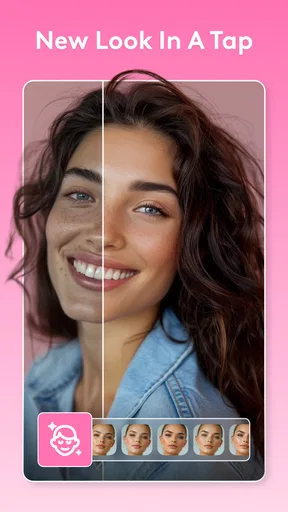
Picture taking a quick photo before meeting friends, then noticing that a strand of hair catches the light in an awkward way. In a general-purpose editor, I might have to hunt through broad adjustment menus or use a brush that takes patience. Facetune’s portrait-first approach makes a targeted fix feel like the natural starting point. I can make a restrained change, compare it with the original, and decide whether the image still feels like the moment I remember.
That last comparison is worth making before exporting or sharing. Portrait edits can look convincing while I’m zoomed in and then feel too strong at normal size. I recommend stepping back to the full image after each major change, especially after shifting hair color or smoothing skin. A subtle edit often survives different screens and lighting better than a dramatic one.
What existing users should keep in mind
If you already use Facetune, the version number is useful for checking that you’re looking at the current build, but it doesn’t promise that an old editing habit will behave exactly the same forever. I’d keep a copy of an important original before making a series of changes and avoid overwriting the only version of a photo I care about. That is a sensible habit with any image editor, particularly when a portrait involves several adjustments that are hard to recreate from memory.
The app’s popularity is substantial: it has more than 50 million installs, an average rating of 4.4 from around 805,000 ratings, and roughly 13,000 written reviews. Those figures suggest many people use it, but they do not settle whether it suits a particular person. I’d judge it by how well its portrait-specific controls fit your own style and by whether the available free tools are enough for your intended edits.
Worth Reading Before You Choose

Flipboard Shows What News Apps Must Do Beyond the Feed

Switching to Android Auto Means Rethinking Your Driving Routine

Google Calendar Makes a Crowded Week Easier to Manage

Ludo King Makes the Most of the Minutes Between Plans

Baby Panda World Brings Quick Play to Modern Phones, but Its Game Library Feels Busy

ESPN’s Live Game View Makes Following Close Games Easier
Where I’d draw the line
Facetune is not my first choice when the main task is organizing a large photo library, correcting a landscape, or doing precise color work across a batch of images. A broader photo editor is usually more comfortable for those jobs. And if you want a completely untouched portrait, or you dislike the look of face and hair retouching, the app’s central strengths may not matter to you.
I’m also cautious about relying on a one-tap enhancement as the final result. Automatic edits can be convenient, but they may not understand which details you want to preserve. I’d use them as a starting point, then check the face, hairline, and background at normal viewing size. That quick review helps avoid a polished effect that draws attention for the wrong reason.
For people wondering whether they must pay to try it, Facetune is free to install, but some purchases are offered in the app. The practical question is not simply whether a tool exists; it’s whether the version you can use without paying covers your regular needs. I’d test the basic workflow on a non-important photo first and only consider a purchase if a specific tool solves a recurring problem.
Getting Started with Facetune
First things first, downloading Facetune: Hair, Photo Editor was a breeze. Available on both Android and iOS, it took just a few taps, and I was ready to start editing. The app interface is user-friendly, with all the tools laid out neatly, making it easy even for a newbie like me to navigate.
Features That Make a Difference
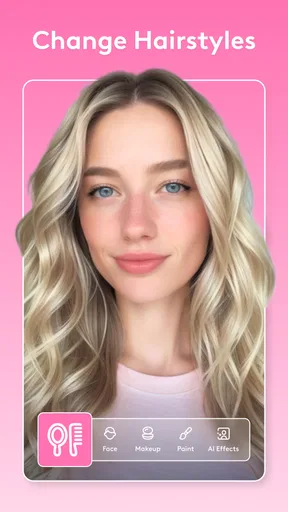
Let’s talk features because this app is packed with them. The hair editing tool is the star of the show. You can change your hair color, add volume, and even adjust the style. It's like having a virtual makeover at your fingertips. I tried going from brunette to a fiery redhead, just for fun, and the results were surprisingly realistic.
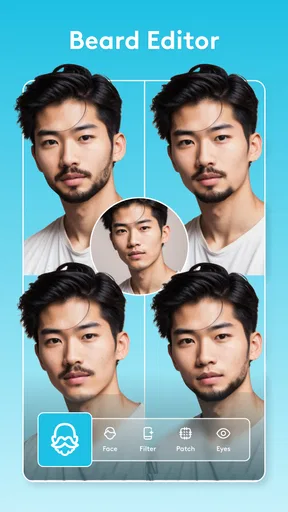
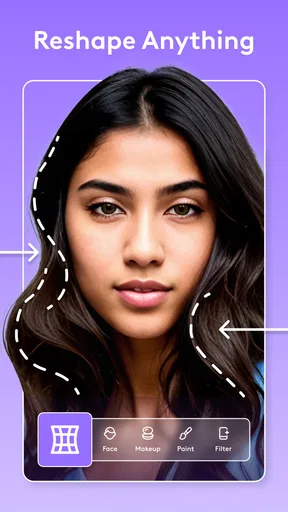
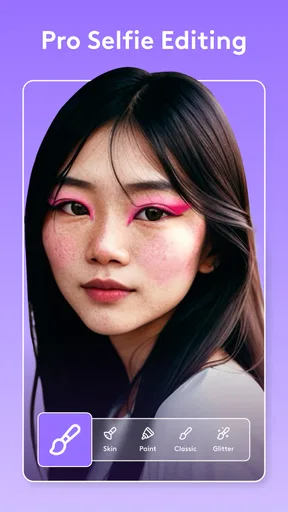
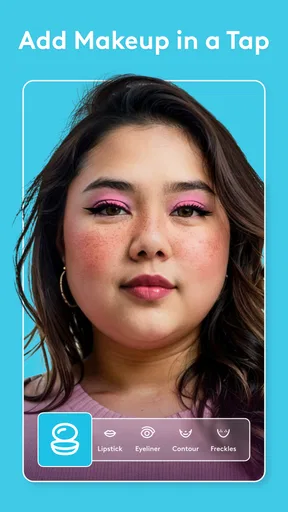
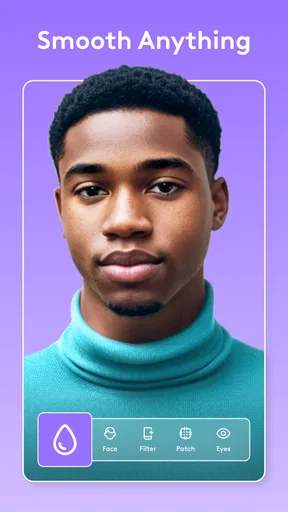
Beyond hair, the app offers a comprehensive suite of photo editing tools. You can smooth skin, whiten teeth, and even add makeup. It's like having a personal glam squad on your phone. One feature I particularly loved was the "Magic" tool, which automatically enhances your photo with just one tap. It’s perfect for when you’re in a rush but still want to look your best.
Playing Around with Effects
What’s a photo editing app without some fun effects, right? Facetune doesn’t disappoint here. There are loads of filters to choose from, and I found myself spending way more time than I’d like to admit experimenting with them. Whether you want a vintage vibe or something more modern, there’s a filter for that.
The app also offers background editing. You can blur the background to make yourself pop more, or even swap it out entirely. I tried placing myself on a beach, and while it wasn’t perfect, it was good enough to fool a few of my friends on social media.
Ease of Use and Performance
Now, let’s talk about how well the app runs. I was pleasantly surprised at how smoothly it operated. There was no lag, and edits applied quickly, even on my mid-range phone. The app didn’t crash or freeze, which is a huge plus in my book.
The tutorials and tips provided within the app are super handy, especially if you’re not a seasoned photo editor. They really help you get the most out of each tool, ensuring your edits look natural and professional.
My Personal Take
So, would I recommend Facetune? Absolutely. It’s a versatile app that can help you tweak your photos until they’re just right. Whether you're a social media influencer or someone who just wants to look great in snaps for friends and family, this app has something for everyone.
That said, it’s important to remember moderation. It’s easy to get carried away with all the editing options, and the last thing you want is to end up with a photo that doesn’t look like you at all. Embrace the app’s features, but let your natural beauty shine through too.
Overall, Facetune is a fun, effective tool for those who love to capture the perfect photo. So go ahead, give it a whirl, and let your creativity run wild!
Choosing it over a general editor
The main trade-off is focus. Facetune is appealing when a portrait needs a few personal touches, while a standard photo editor may offer a more natural home for cropping, exposure, and color correction across many kinds of images. I would not install this expecting it to replace every photography tool on my phone. I’d use it for a portrait-specific finish and keep a general editor for pictures where the subject is a place, object, or whole scene.
It also suits experimentation better than consistency across a large collection. If I’m preparing one profile picture or a single family photo, trying a different hair shade can be entertaining and useful. If I need dozens of portraits to match closely, the time spent checking each result may outweigh the convenience. For that kind of repeatable, careful work, I’d choose a workflow designed around broader image control rather than relying only on quick retouch options.
Small workflow choices that improve results
For a believable hair edit, I’d start with a photo where the hair is clearly separated from the background and the lighting is not dramatically uneven. That gives a color change a better chance of looking coherent. I’d also try the new shade at a modest intensity first, then inspect the edges around the hairline and shoulders. A color that looks fun in the editor can feel disconnected from the rest of the picture if it clashes with the light or clothing.
For skin retouching, I prefer to leave some natural texture rather than smoothing every area equally. Faces have different lighting and detail from one region to another, so a uniform finish can make a portrait feel less like a real photograph. I’d make one adjustment at a time and pause between them; that makes it easier to spot which change is doing useful work and which is pushing the image too far.
Filters are best treated as a finishing choice, not a fix for every issue. I’d settle the portrait edits first, then audition a filter and check whether it improves the mood without undoing the natural look I wanted. If a filter changes the feel of skin or hair too much, backing off is often better than trying to compensate with more retouching.
Who will appreciate it, and who may not
I’d recommend Facetune to someone who regularly shares selfies, profile photos, or portraits and wants a direct way to adjust hair and appearance without learning a complex editing program. It can also be a playful option for people who want to test a different look before changing their real hairstyle. The Everyone content rating makes it broadly accessible, though that does not mean every editing choice will suit every user or every age group’s approach to social media.
I’d suggest skipping it if your priority is documentary-style photography, if you want edits to remain invisible without checking them carefully, or if you simply don’t enjoy changing faces in pictures. It may also frustrate someone who expects every advanced option to be included at no cost. The free install lowers the barrier to trying it, but the range of in-app purchase prices means it is worth deciding what you need before spending.
For a casual user, I’d begin with one photo that is not especially important, learn how the controls affect it, and save the original separately. If the experience feels intuitive and the results suit your taste, it may earn a place in your regular editing routine. If you find yourself undoing most of the changes, that is a useful sign that a lighter-touch or more general editor would fit you better.
What I would watch as the app evolves
Lightricks Ltd. has kept the product moving through successive versions, and 2.58.0-free is the current Android release. I see that as evidence of an actively maintained product line, not a guarantee about what its next changes will be. Existing users should pay attention to how familiar tools feel after updating and whether the features they rely on remain convenient for their particular workflow.
My practical test for any future change would be whether it gives me more control without making a quick portrait edit feel complicated. Hair tools are most valuable when they respect the photo’s lighting and boundaries; retouching is most useful when it stays subtle and easy to adjust. If those basics continue to work well for the kind of pictures I take, I’d keep it around. If my needs shift toward detailed color grading or editing many images consistently, I’d move that work to a broader tool instead.
In the end, I see Facetune as a specialized portrait companion rather than a universal photo studio. It is at its best when I know what small change I want, can judge the result at full-image size, and am willing to keep the edit restrained. That makes it a handy choice for personal portraits and social sharing, while leaving plenty of room for a different editor when the picture—or my standards for the edit—calls for something else.
Pros
- Easy-to-use interface for quick edits.
- Wide range of hair color options.
- Realistic photo retouching tools.
- Advanced filters for unique styles.
- Frequent updates with new features.
Cons
- Some features require in-app purchases.
- Can be resource-heavy on older devices.
- Limited free version capabilities.
- Occasional glitches with hair detection.
- No direct social media sharing option.
FAQs for Facetune: Hair, Photo Editor
What features does Facetune: Hair, Photo Editor offer?
Facetune: Hair, Photo Editor provides a range of powerful editing tools, including options to retouch and enhance photos with ease. Users can adjust hairstyles, apply makeup, smooth skin, and enhance facial features. The app offers filters and effects to give photos a professional look, making it ideal for both casual and professional use.
Is Facetune: Hair, Photo Editor user-friendly for beginners?
Yes, Facetune: Hair, Photo Editor is designed to be user-friendly, even for beginners. The interface is intuitive, with easy-to-follow instructions and tutorials available. This ensures that users of all skill levels can navigate and utilize the app’s features effectively to enhance their photos.
Does Facetune: Hair, Photo Editor offer in-app purchases?
Facetune: Hair, Photo Editor is free to download, but it does offer in-app purchases. These purchases unlock additional features and tools that enhance the app’s functionality. Users should be aware of these options if they wish to access the full range of editing capabilities.
Is Facetune: Hair, Photo Editor available for both Android and iOS?
Yes, Facetune: Hair, Photo Editor is available for download on both Android and iOS platforms. This ensures that a wide range of users can access the app and enjoy its features, regardless of their device preference. It can be found in the Google Play Store and the Apple App Store.
Can Facetune: Hair, Photo Editor share edited photos directly to social media?
Absolutely, Facetune: Hair, Photo Editor allows users to share their edited photos directly to popular social media platforms. This feature streamlines the process of showcasing your enhanced images to friends and followers, making it simple to maintain an engaging online presence.


